
Dolly Casino in Your Pocket
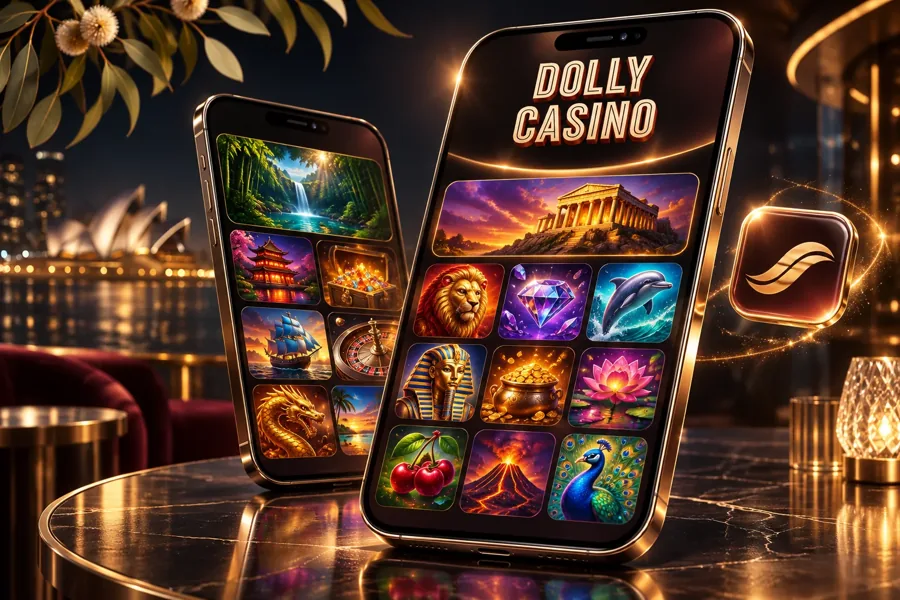
Open Dolly Casino on your phone and you get the same lobby as on desktop: Gates of Olympus, Evolution live tables and a cashier with 12 payment methods. Quick tip: log in once, save the site to your home screen and you're one tap from your favourite slot.

Dolly Casino in Your Pocket
What the mobile app gives you, and a few quick tips before you tap in.
Good on you for checking the app page first. Dolly Casino on your phone covers the same ground as the desktop site: slots, live tables, poker and a sportsbook, all under one login. You don't need a second account, and your balance follows you whichever screen you pick up.
Here's what most people try first. Open the slots lobby and load Gates of Olympus from Pragmatic Play or Book of Dead. Both run well in portrait mode, so you can spin one-handed on the bus. If you'd rather sit at a real table, the Evolution live studios stream straight to the app. Pop your phone onto Wi-Fi before a long live session, as video streams use far more data than slots do.
Banking works the same way on mobile. There are 12 payment methods in the cashier, including 5 cryptocurrencies. Skrill and Bitcoin are two handy picks if you want to keep card details off your phone. The minimum deposit is $10 in AUD, or A$30 if you pay with crypto.
New players can claim the welcome offer from the app too: a 100% match up to A$1,000 plus 100 free spins, with 35x wagering. Sign up, deposit at least $10 and play.
Mobile Site vs App: Which One Suits You
A quick side-by-side to help you pick the way you play Dolly Casino on your phone.
You can play Dolly Casino in two ways on your phone: open the site in your mobile browser, or add it to your home screen so it works like an app. Both use the same account, so your balance, bonus progress and game history stay the same either way.
Quick tip: if you mostly play a few rounds of Gates of Olympus or Book of Dead on the bus, the home-screen shortcut gets you in faster. If you switch between devices a lot, the browser is the easier choice because you have nothing to set up.
The cashier is the same too. All 12 payment methods, including Visa, Skrill and 5 cryptocurrencies, are available on both. Live chat support works from either one, so help is only a tap away when you need it.
| Feature | Mobile site | Home-screen app |
|---|---|---|
| Setup | None, just open your browser | Add a shortcut once from the browser menu |
| Storage used | Nothing beyond browser cache | A small shortcut icon |
| Login | Sign in through the browser | Stay signed in for quicker access |
| Game library | Full lobby, slots and live tables | Same full lobby |
| Live dealer games | Evolution tables available | Evolution tables available |
| Payments | All 12 methods in AUD and crypto | All 12 methods in AUD and crypto |
| Support | Live chat and email | Live chat and email |
| Updates | Always the latest version | Updates load automatically |
Downloading Dolly Casino on Android
A quick setup from your phone browser, then straight to the lobby.
Getting Dolly Casino onto an Android phone takes a few minutes. Don't search the Play Store for it. Start from the official Dolly Casino site in your mobile browser, so you know the file or shortcut you install is the genuine one.
Once it's set up, you get the same lobby as on desktop. Gates of Olympus and Book of Dead load in portrait, and live tables from Evolution switch to landscape when you turn the phone. Your balance, bonus progress and payment history stay the same on every device you log in from.
A tip before you begin: free up some storage and use a stable Wi-Fi connection for the first download. After that, mobile data is fine for regular play. If your phone blocks the install, open Settings, find the option for installing apps from unknown sources and allow it for your browser only. Turn it off again once you're done.
Open the official site
Visit Dolly Casino in Chrome or another Android browser and tap the app or download option in the menu.
Allow the install
If Android asks for permission, approve installs from your browser for this one file, then turn the setting back off.
Install and launch
Tap the downloaded file, confirm the install and open Dolly Casino from your home screen.
Log in or register
Sign in to your account or create one, then open the offers page to see the current 100% welcome bonus with 100 free spins.
How to Install Dolly Casino on iOS
Put Dolly Casino on your home screen in under a minute using Safari.
On an iPhone or iPad, you don't have to dig through the App Store to get Dolly Casino. You add the site to your home screen from Safari, and it opens full screen like any other app. There's no big download and no space taken up by updates.
Once it's installed, everything is in the same place as on desktop. That includes Gates of Olympus and Starburst, the Evolution live tables, and the cashier with all 12 payment methods. Quick tip: use Safari for this. Some other iOS browsers don't show the home screen option in the same menu, so you could spend a while looking for it.
If you already have an account, log in once after installing and you'll stay signed in until you log out. Questions along the way go to live chat or [email protected].
Open Safari
Open Safari on your iPhone or iPad and go to the Dolly Casino website.
Tap the Share icon
Tap the square with the upward arrow, which sits at the bottom of the screen on iPhone and at the top on iPad.
Choose Add to Home Screen
Scroll down the share menu, tap Add to Home Screen, and change the name if you want to.
Confirm and launch
Tap Add, then open the new Dolly Casino icon and log in or register to start playing.
Everything the Dolly Casino App Puts in Your Pocket
The main features you can use on your phone, and a quick tip for each one.
Slots from top studios
The full slot lobby goes with you, with games from Pragmatic Play, NetEnt and Push Gaming. Gates of Olympus and Starburst load fast on mobile. Tip: add a few to your favourites so you can find them again in one tap.
Live tables by Evolution
Live dealer games stream straight to your screen. Hold your phone sideways for the best view of the table, and use Wi-Fi if your signal keeps dropping.
Welcome offer on mobile
New players can claim the 100% match up to A$1,000 plus 100 free spins from the app. Wagering is 35x, the bonus is valid for 30 days and the free spins for 7 days, so check those before you make your first deposit.
12 payment methods
Pay with Visa, Mastercard, Skrill or MuchBetter, or choose one of 5 cryptocurrencies, including Bitcoin and USDT. Limits in AUD are $10 / A$4,000 for cards, $10 / A$5,000 for e-wallets and A$30 / A$10,000 for crypto.
Sports betting
The sportsbook sits in the same account as the casino, so you don't need a second login. You can switch from a slot to a match market in a couple of taps.
Help when you need it
Live chat is available inside the app, and you can also email support. Chat is usually the quicker way to sort out a payment question.
Your First Deposit Bonus in the App
A 100% match plus 100 free spins, and how to claim it on your phone
Your first deposit at Dolly Casino comes with a 100% match bonus and 100 free spins. You can claim it from the app, and it's the same offer you'd find in a desktop browser. A 100% match means the casino adds bonus funds equal to your deposit, up to A$1,000.
Here's a quick tip. Know the terms before you go to the cashier: the maximum bonus is A$1,000, the minimum deposit is $10, wagering is 35x, the bonus is valid for 30 days and the free spins for 7 days. Read them first and you won't get caught out later.
Follow the terms of the offer you choose, and enter a code if that offer asks for one. Register, make your first deposit with a method you already use, and the bonus is added under those terms. If you'd like to try the free spins on a well-known slot, check whether Book of Dead or Gates of Olympus are on the eligible list.
Last tip: keep your bonus balance and your real cash balance separate in your head. Wagering applies to bonus funds, so check your progress in the app's account area before you ask for a withdrawal.

Installing the app doesn't come with its own extra reward, so don't count on one. The first deposit bonus is the offer to go for. Check the Promotions tab in the app for the 100% up to A$2,500 + 100 free spins offer, with 35x wagering and 30 days validity, before you make your first payment.
Dolly Casino App FAQ
Short answers to the questions players ask most before they play on their phone.
Is Dolly Casino a legit online casino?
Yes. Dolly Casino holds a Curaçao eGaming licence. You can find the full licence details in the legal section further down this page. The games come from known studios such as Evolution and Pragmatic Play, among others.
How can I check if a casino app is safe before signing up?
Look for three things: a licence from a real regulator, games from established providers, and payment options you already know. Dolly ticks all three, with Visa, Mastercard, Skrill and Neteller among its methods. Read the bonus terms before you deposit, too.
Which games work well on mobile?
Gates of Olympus, Book of Dead and Starburst all run smoothly on a phone screen. Tap a few demo-friendly titles first to get a feel for the layout before you play for real.
Can I play live dealer games on my phone?
Yes. Dolly's live casino runs on Evolution tables, so you can play live games from your phone as well as your desktop.
How many payment methods can I use?
Crypto withdrawals arrive within 10-60 minutes, e-wallets within 12 to 24 hours and cards in 1-3 business days. The minimum deposit is $10.
How long do withdrawals take?
Crypto withdrawals arrive within 10-60 minutes, e-wallets within 12 to 24 hours and cards in 1-3 business days. The minimum deposit is $10.
What happens if I win a really big amount?
Expect a verification check before a large payout. Some payouts may be paid out in parts under the casino's withdrawal limit of A$5,000 per week. Tax rules depend on where you live, so check your local rules.
What is the $20 method?
It's a budgeting habit, not a winning system. You set aside a fixed amount, play only with that, and stop when it's gone. It helps you stay in control, but it doesn't change the house edge.
Is it legal to play pokies online?
That depends on the laws where you live. Check your local rules before you register, and only play where online casino gaming is allowed.
What welcome bonus is available?
The welcome offer is 100% up to A$2,500 + 100 free spins with 35x wagering, valid for 30 days.
How do I contact support from the app?
Dolly's support team is available through live chat and email. Live chat is usually the fastest option for quick questions about deposits or bonuses.